CASE STUDY · 03
SVGify: turn any image into an editable SVG
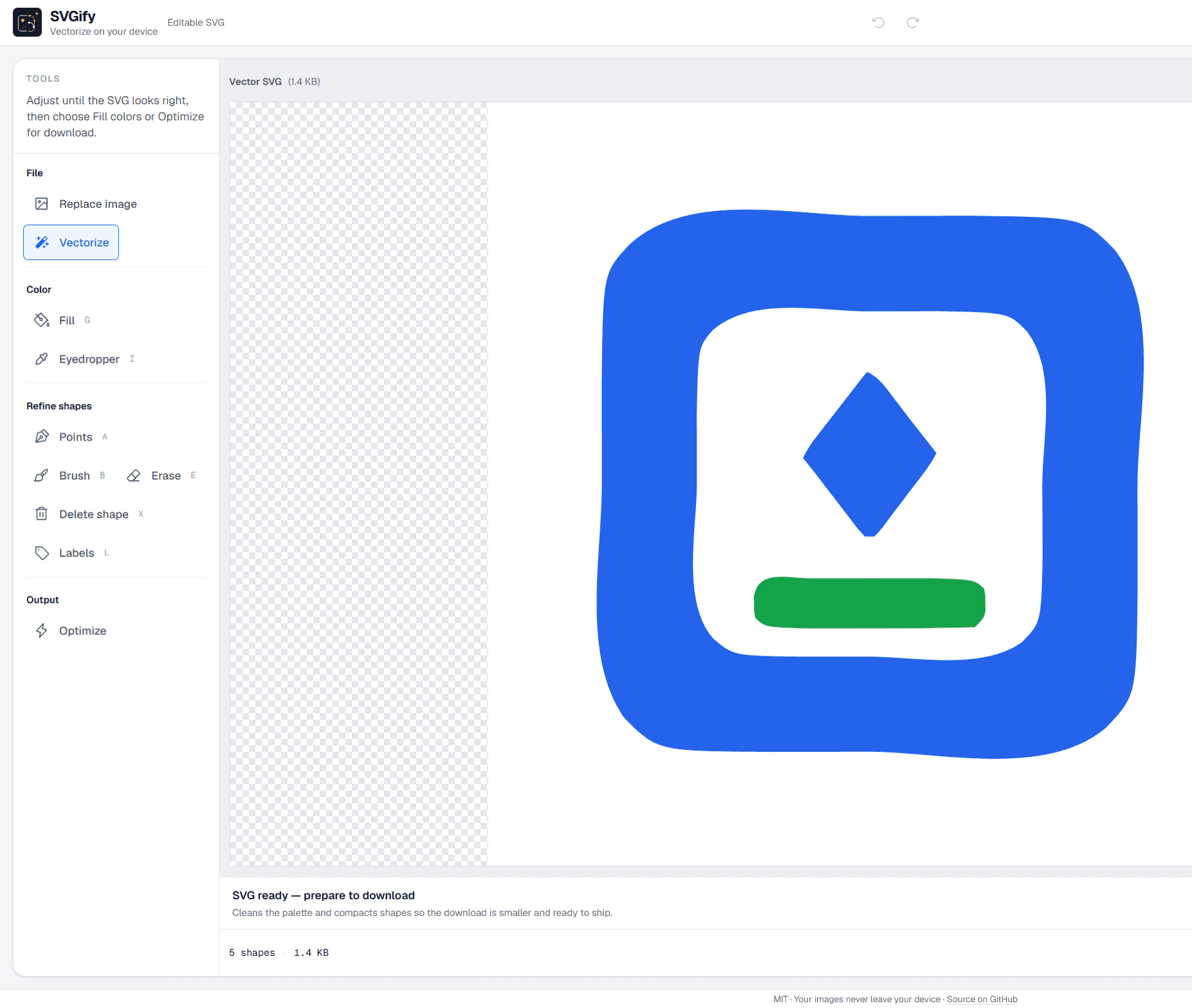
A free, open-source vectorizer. It runs entirely in your browser: nothing is uploaded, nothing is stored. Import a PNG, JPG or WEBP, adjust colors and shapes and download a clean SVG, ready for your website.
- ROLE
- End-to-end design and development
- TYPE
- Web tool · Open source
- STACK
- Next.js 16 · React 19 · TypeScript · imagetracerjs · SVGO · Web Workers
- STATUS
- Live · 2026
THE PROBLEM
Many logos and icons only exist as images. Converting them to SVG usually means paid software, or heavy files full of layers that are hard to edit.
THE GOAL
Let anyone, SVG expert or not, go from an image to a clean, editable vector in a single session, right in the browser.
PROCESS
Import, vectorize, edit and export
- 01
Import
Drop in an image. If it has a background, the tool can remove it before vectorizing.
- 02
Vectorize
Conversion runs in a Web Worker so the UI never freezes, and the preview updates as you adjust.
- 03
Edit
Recolor individual shapes or the whole palette, label paths and clean up details.
- 04
Export
The SVG goes through a custom cleanup and SVGO before download.
TECHNICAL DECISIONS
What happens behind the interface
Raw vectorizer output is heavy. These decisions make it production-ready.
// lib/optimizeSvg.ts: cleans imagetracerjs output without touching geometry
function compressPathData(d: string): string {
  return d
    .replace(/\s+/g, ' ')
    .replace(/\s*([MLCQAZHVSTmlcqazhvst])\s*/g, '$1')
    .replace(/(\d)\s+(-)/g, '$1$2')
    .trim();
}

function minifyRgbColors(svg: string): string {
  return svg.replace(/(fill|stroke)="rgb\((\d+),\s*(\d+),\s*(\d+)\)"/g, (_full, attr, r, g, b) => {
    const [rr, gg, bb] = [r, g, b].map((v) => toHexByte(Number(v)));
    const canShorten = rr[0] === rr[1] && gg[0] === gg[1] && bb[0] === bb[1];
    return `${attr}="${canShorten ? `#${rr[0]}${gg[0]}${bb[0]}` : `#${rr}${gg}${bb}`}"`;
  });
}
Background vectorization
imagetracerjs runs in a Web Worker so the page stays responsive with large images.
Cleanup before SVGO
Path data is compacted and RGB colors become short hex, without changing how the drawing looks.
No seams between shapes
A thin same-color stroke seals the hairline gaps that sometimes appear between neighboring shapes.
Bilingual and tested
Spanish and English UI, with 160+ Vitest tests on vectorization and editing logic.
THE SOLUTION
How it works
Upload your image
Drop in a PNG, JPG or WEBP up to 10 MB, or try a sample icon. Adjust color count and smoothing and see the result instantly.
Edit colors and shapes
Recolor single paths or the whole palette, and refine the details.
Download a clean SVG
An optimized file you can use right away as an icon, logo or illustration.
RESULTS
By the numbers
Automated tests
Vectorization, path editing and export covered with Vitest.
Files uploaded
Everything happens in your browser: nothing is uploaded or stored.
Open source
Free to use and modify.
WHAT I LEARNED
What the interface promises has to match the file you take home.
Moving the heavy work to a Web Worker was the difference between a tool that freezes and one that responds while you adjust.
Showing advanced controls only when they are needed lets the tool serve both beginners and people who already know SVG.